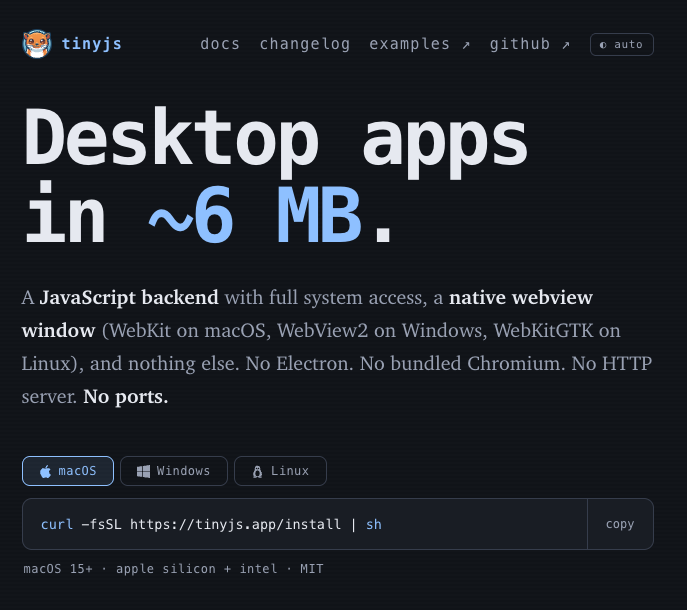
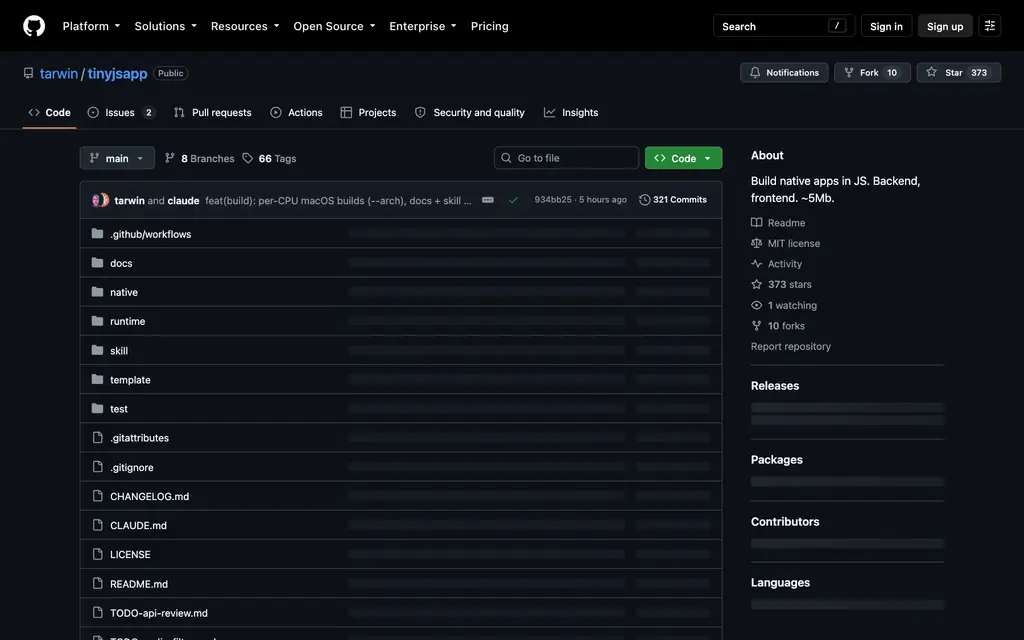
TinyJS is a framework for building native desktop apps for macOS, Windows and Linux in plain JavaScript — and shipping them in about 6 MB. A JavaScript backend with full system access, a native webview window, and nothing else: no Electron, no bundled Chromium, no HTTP server, no ports. MIT-licensed, built by Tarwin, public on GitHub since July 2026, at v0.42.0 as of writing with 373 stars and 66 releases already tagged. It is the tool currently doing the rounds on daily.dev, and the pitch on the tin is just the size: desktop apps in ~6 MB.
- What it is — a JS backend (txiki.js) + a native webview launcher, ~6 MB shipped
- Who built it — Tarwin, open source under MIT, repo public July 2026
- Launch status — macOS stable; Windows and Linux in beta; v0.42.0 as of writing
- Where it runs — macOS 15+ (Apple silicon + Intel), Windows 10/11, Linux (beta)
- Start with —
curl -fsSL https://tinyjs.app/install | sh, thentinyjs new myapp
Why 6 MB is a business number, not a vanity one
The comparison every buyer eventually runs:

Electron ships an entire Chromium and an entire Node with every app. That is where the ≥ 150 MB goes, and it is also why every app on your machine carries its own browser to patch — a per-app CVE treadmill your release calendar did not ask for. Tauri fixes the size with the same trick (use the OS webview) but asks for a Rust backend you compile. TinyJS keeps the size and drops the second language: the backend is JavaScript on txiki.js — QuickJS + libuv, 5.6 MB — and the window is the webview the OS already ships.
What that buys a product team, concretely:
- Download conversion. A 6 MB download is a click; a 150 MB installer is a meeting. For utility-style products the difference is measurable in install completion, not aesthetics.
- Deployment surface. Six megabytes per seat across a fleet, and no bundled engine to patch independently of the OS.
- One language. The whole app — backend included — is the JavaScript your team already writes. No Rust toolchain in CI, no compile step in dev.
What people are actually shipping on it
The examples gallery is the proof, and the sizes are the point — each of these is a real, polished app:
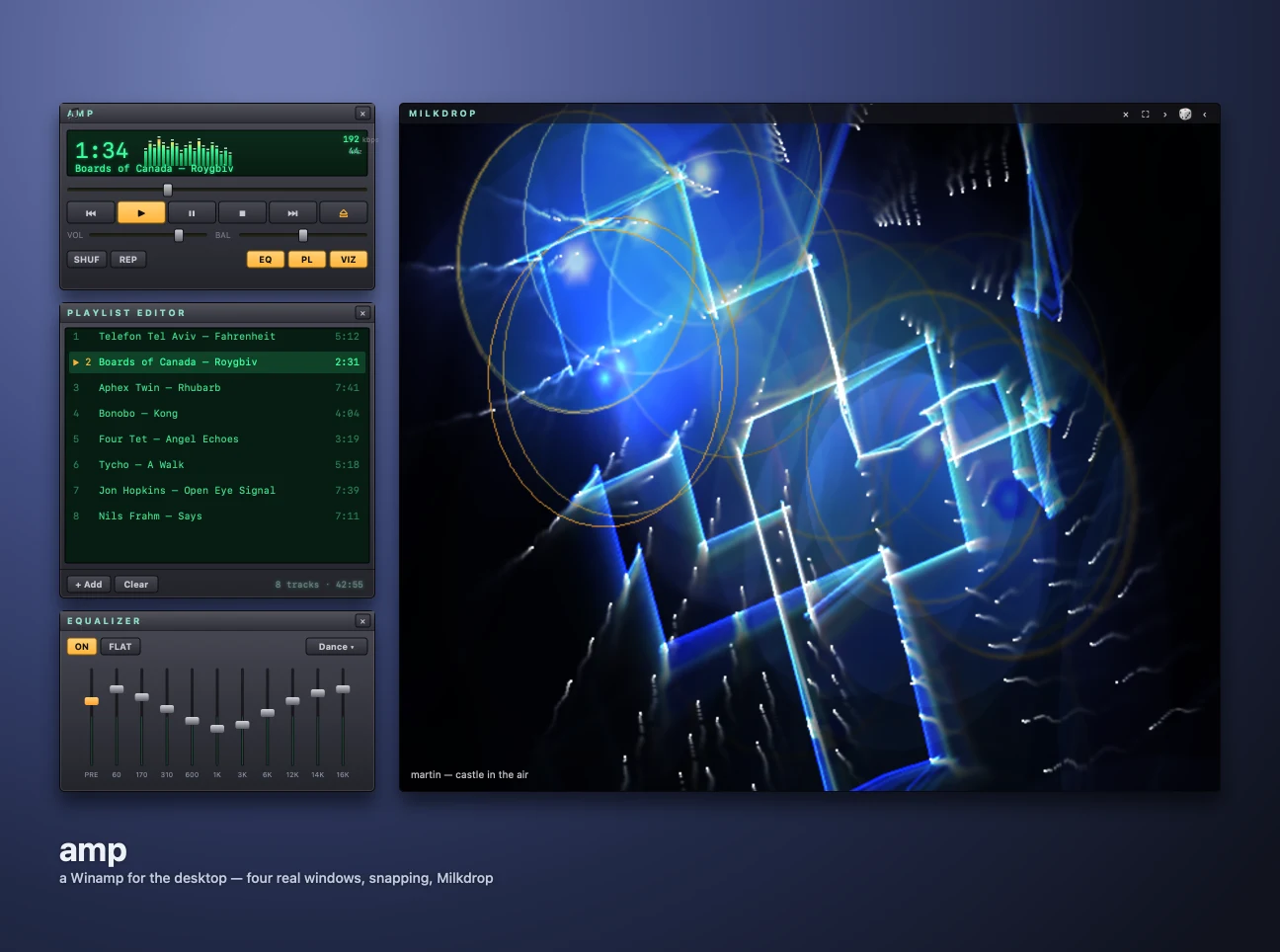
amp — 8.2 MB. A Winamp for the desktop: player, playlist, 10-band EQ, six visualizer engines, each pane a real native window that snaps, docks and windowshades. It plays mp3 through ogg/opus — and, synthesized in-app, MIDI with real SoundFont banks and tracker modules (mod/s3m/xm/it) via the OpenMPT engine. A webview cannot play either of those; the app renders them itself.
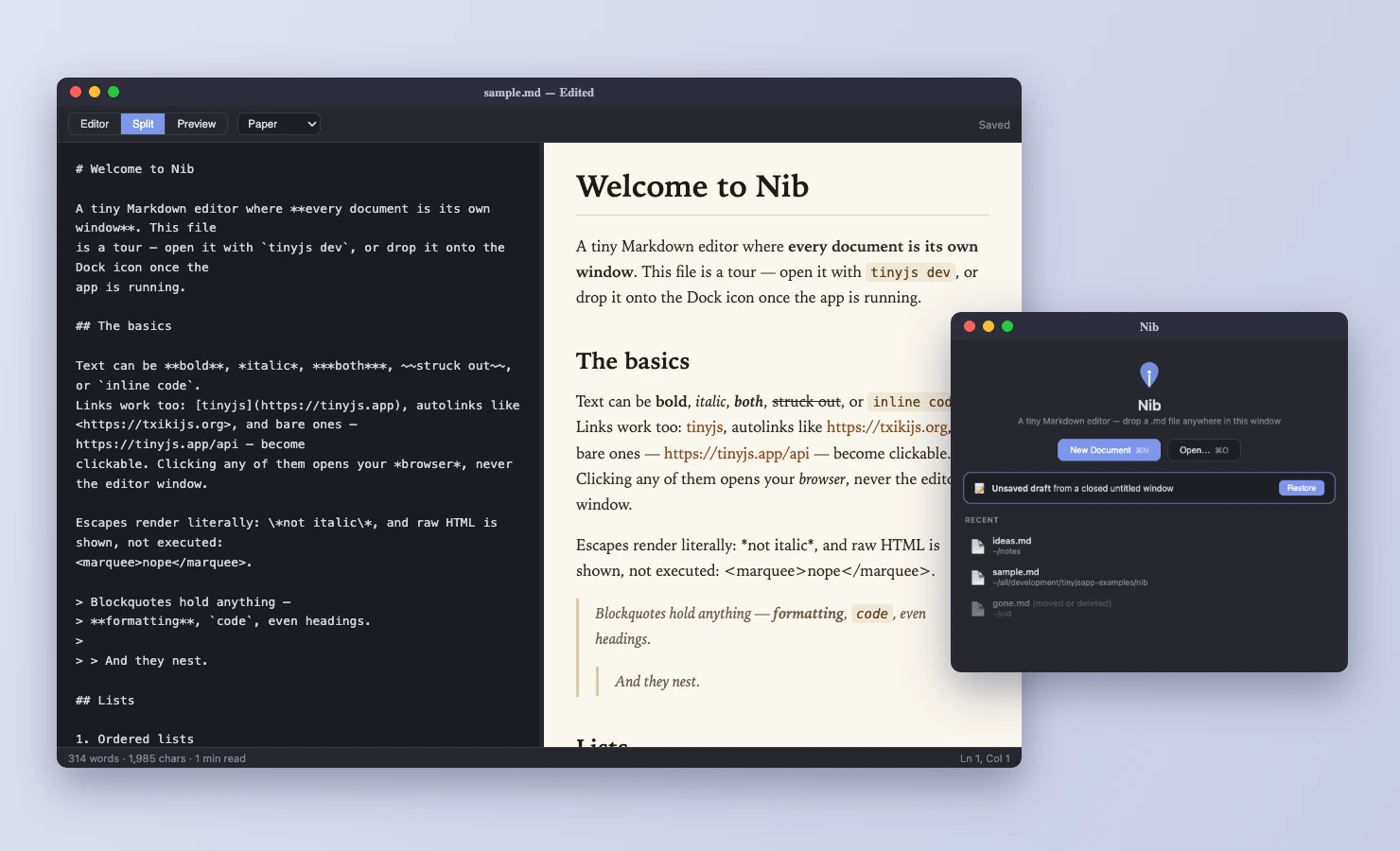
Nib — 5.7 MB. A Markdown editor with an editor/preview split, clickable task boxes, themed PDF and HTML export. Double-click any .md in Finder and it opens there — file associations are one line in the manifest.
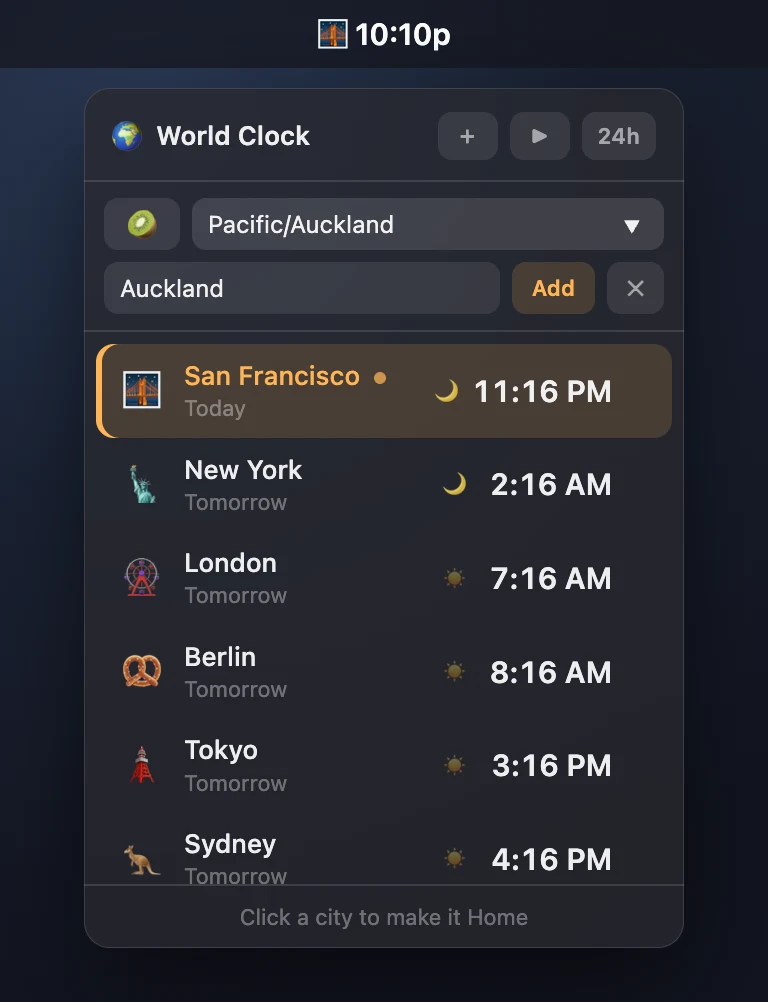
World Clock — 4.5 MB. The tray is the app: your home city ticking every second in the menu bar, a vibrancy popover on click, and it stops redrawing entirely while hidden. That is the menu-bar-utility pattern — status monitors, support dashboards, team presence — in a file you can email.
Plus shelf (a 4.4 MB app store for the examples themselves), Platter (a 6 MB record player), and Tiny Deck (5.6 MB of live API demos). The mascot is a rakali — an Australian native water rat, which tells you how seriously the project takes itself.
The business shapes I would reach for it with:
- Wrap your SaaS as a desktop app. Point the window at your hosted URL and customers get a dock icon, native dialogs, downloads, find-on-page and auto-updates — while you keep one web codebase. The capability gate (below) is what makes this safe enough to ship.
- Internal tools that deserve a dock icon. The CRUD dashboard your ops team keeps pinned anyway — with SQLite in the runtime, no server to run.
- Menu-bar and tray utilities. Monitors, notifiers, quick actions.
"activation": "accessory"launches with no Dock icon and no window flash.
First run: three commands and a window
curl -fsSL https://tinyjs.app/install | sh   # macOS / Linux
tinyjs new myapp && cd myapp
tinyjs dev        # window opens, hot reload
tinyjs build      # dist/myapp.app — codesigned
The whole backend is one file exporting plain functions:
// src/main.js — the entire backend
export const api = {
  hello: async ({ name }) => `hi ${name}`,
};

export function init(app) {          // runs once the window is up
  app.push("tick", { at: Date.now() });   // push events to the page
}// in the page
const r = await tiny.api.call("hello", { name: "ada" });
tiny.api.on("tick", ({ at }) => console.log(at));
await tiny.dialog.openFile(); // a real native panelNo server code, no route handlers, no database migration. The default template has zero dependencies and no build step; if you want React, Vue, Svelte or TypeScript, tinyjs new myapp --template react-ts scaffolds a Vite app with HMR inside the native window, and the TypeScript backend bundles through esbuild — npm packages work on the backend, and Node is only needed at dev/build time, never in the shipped app.
Two processes, one socket
The architecture is two files and your code, and it explains every property worth caring about:

The backend runs on txiki.js with full system access — files, sockets, subprocesses, FFI, SQLite, fetch. The launcher is a ~1–2 MB C++ program that owns the native window, the dialogs, the menus. They talk over a Unix socket the backend creates in a fresh 0700 temp dir — invisible to other users, nothing to collide with, nothing to scan (a named pipe on Windows, everything above it identical). The protocol is newline-delimited JSON: CALL/RET for request–response, EVT for backend pushes.
Two consequences worth calling out:
- No CORS tax.
tiny.fetchruns the request in the backend — a native process — so the page reaches any origin, including live streaming bodies with backpressure. That is how amp streams internet radio into an EQ. - The page is a real
file://document, not injected HTML — which is why relative scripts and images just work, and why secure-context APIs likenavigator.gpuare available.
The API surface is the product
The 6 MB is not just a small window — the OS surface ships in the API, not as plugins:
- Native chrome. Real menu bar with About and Quit, file panels, alert/confirm/prompt answered by AppKit, not divs. Tray icons, global hotkeys, context menus.
- Windows as a first concept. Multiple windows with parent/child behaviour, frameless and vibrancy modes, drag regions you style yourself, drag-out of real files to Finder,
printToPDF, native page zoom. - Persistence split correctly.
tiny.storefor flat settings (atomic JSON in the per-app data dir); SQLite in the runtime when it gets query-shaped; and — the detail I would highlight in a security review —tiny.app.secretsputs tokens in the OS keychain (Keychain / Credential Manager / Secret Service), never in a JSON file. - OS integration. Notifications with action buttons and a reply field, Now Playing with hardware media keys, Touch ID / Windows Hello via
tiny.app.authenticate, launch-at-login, deep links, "Open With" associations, single-instance automatic. - Audio done properly. A native EQ chain below the browser, a sampled-SFX mixer, and
tiny.audioTap— PCM of the rendered output, for VU meters and visualizers, including audio that never touches Web Audio. - macOS depth, namespaced honestly. AppleScript in-process, Quick Look, on-device OCR, screen recording, and Apple's on-device LLM with tool calling — all under
tiny.macos.*, which rejects off-macOS rather than resolving something empty. The docs even warn you that the LLM's prose lies about which tool calls it made, and to readcalls, nottext.
Wrapping a hosted app without handing it the keys
This is the feature with the most direct business value, and the one to get right:

"url" in tinyjs.json makes the main window a remote page — no local frontend at all. It behaves like a browser: native JS dialogs headlined by the page's origin, downloads on disk, popups and navigation yours to route, ⌘F find-on-page. And because tiny is injected into every origin, the gate decides what that origin may call:
{
  "url": "https://app.example.com",
  "api": { "origins": {
    "https://app.example.com": ["notify", "store.*", "win.*"]
  }}
}
The gate is enforced in the backend — page-side gating is decoration, because a hostile page can edit its own tiny object — and it keys off the origin the engine reports, not what the page claims. An origin matching no key gets nothing, so a redirect to an unlisted domain inherits no access. onNavigate lets you veto or externalize navigations; onDownload and onWindowOpen route the rest.
That is the whole security review for "can we give the customer a desktop app" in one JSON block.
Shipping: sign, notarize, auto-update
tinyjs build emits a codesigned .app (--dmg for the installer image; --arch builds either Mac CPU from one machine, --universal both). tinyjs notarize submits to notarytool and staples the ticket. Windows gets a portable dist/ folder, Linux a per-arch tarball that registers its own .desktop entry.
Updates are built in: tinyjs publish writes a zip plus a manifest you host on any static server. The app's updater verifies sha256 and the code signature (Team-ID pinned for Developer ID builds), swaps atomically, relaunches, and rolls back on failure. One honest constraint: you build on the OS you ship for — a three-legged CI matrix covers it in one push, which is exactly how tinyjs itself releases.
The honest comparison
| backend | window | ships | ports | |
|---|---|---|---|---|
| Electron | Node.js | bundled Chromium | ≥ 150 MB | none |
| Tauri | Rust, compiled | system webview | ~10 MB | none |
| Neutralino | none — page-side only | system webview | ~3 MB | localhost ws |
| TinyJS | JavaScript (txiki.js) | system webview | ~6 MB | none |
The caveats, straight from the docs: you will not get identical rendering on all three platforms. WebKit on macOS, WebView2 on Windows, WebKitGTK on Linux — the same discipline as shipping a website to Safari and Chrome. Linux is the sharpest edge: media codecs depend on installed GStreamer plugins, and Web Audio through ctx.destination crackles under WebKitGTK (which is precisely why the native audio chain exists). Windows and Linux are beta; macOS is the stable platform. No mobile — this is a desktop runtime. And unported calls fail cleanly with a reason, so cross-platform code can feature-detect via tiny.system.capabilities() instead of crashing.
Where it fits — and where it doesn't
Fits. Utilities and menu-bar apps where download weight is the funnel. Internal tools that want a dock icon and offline SQLite. The "can our SaaS be a desktop app?" request — with the capability gate making it a one-block answer. Audio- and media-adjacent products, where the native DSP chain is genuinely hard to get elsewhere in JS. Anything where a 150 MB Electron app is the current plan and nobody can say why.
Doesn't fit — yet. If you need pixel-identical rendering across platforms, Electron's bundled Chromium is still the honest answer. If you want mobile targets or Rust in your stack, Tauri is further along and says so itself. If your team lives in Node addons (.node), they don't apply here — pure-JS packages bundle fine. And it is a young project: 373 stars, one primary maintainer, v0.42 — pin your version and read the changelog before upgrading.
The bet, stated plainly: the 6 MB is not the feature — it is the receipt for the actual design, which is "the OS already shipped a browser; stop carrying a second one." The hard problems in desktop apps are distribution weight, patching surface, and native polish; TinyJS makes the small path the default path instead of the heroic one.
I build web products and the desktop wrappers that ship them — book a call if that is the quarter ahead for your product.