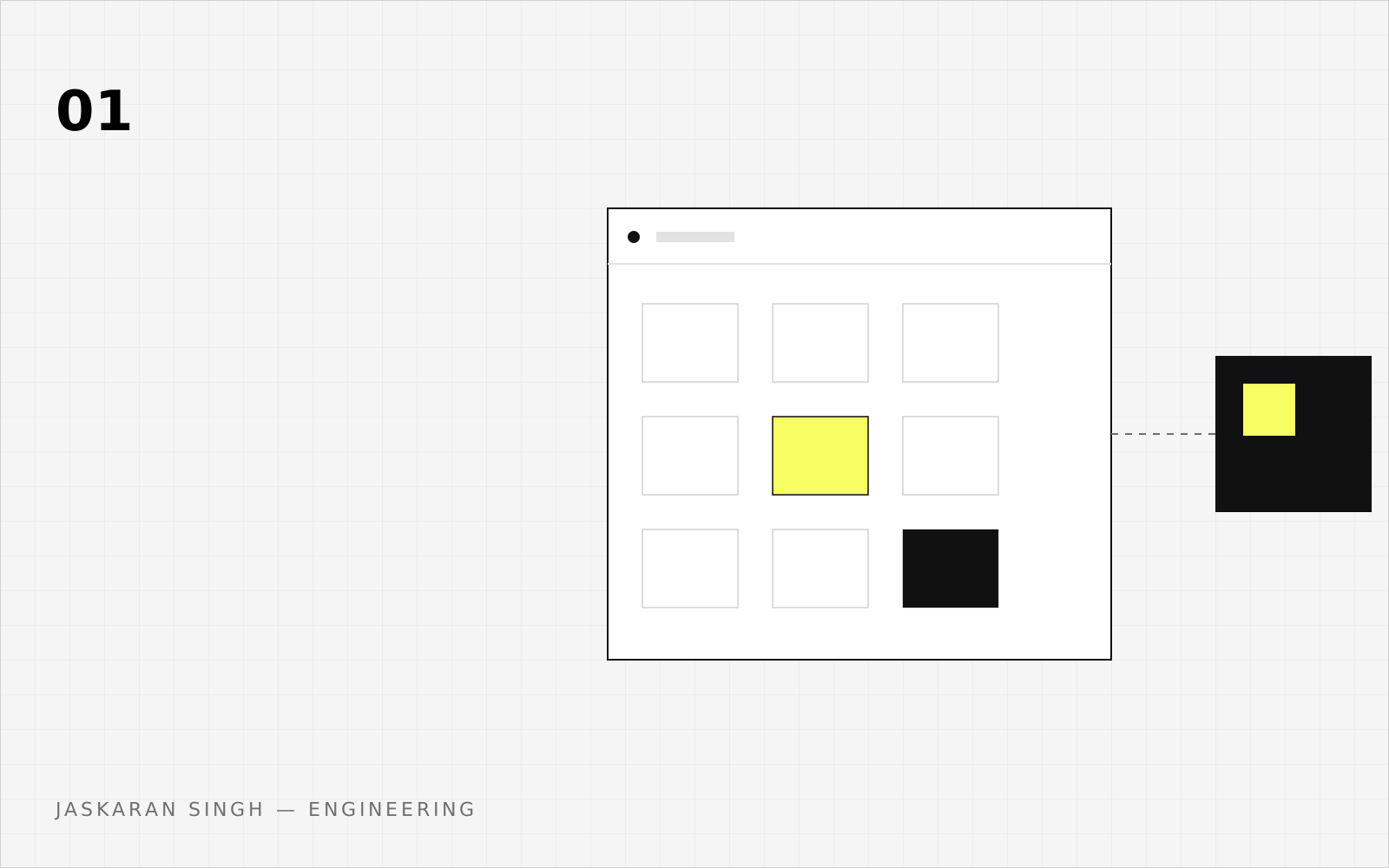
WebMCP is a proposed browser API that lets a live web page publish narrow, typed tools to a browser-integrated AI agent. The current draft exposes a document.modelContext registry; an agent can discover those tools, supply structured input, and run a page-owned callback while the user remains in the normal interface. It complements backend MCP, but it is not a replacement.
There is an important historical trap here. webmcp.dev is an early WebMCP prototype built around new WebMCP(...) and a local WebSocket bridge. Its maintainer's jasonjmcghee/WebMCP repository now explicitly says that implementation is not compliant with the current W3C draft. The canonical current WebMCP draft describes a different, browser-mediated document.modelContext surface. A demo of the old library is useful history; it is not evidence that a current browser supports the current API.
What WebMCP actually is
Picture a support agent finding an order. Without a page contract, it may infer a button and fields from a screenshot or DOM. WebMCP lets the page say, “this is the supported search path” and that the callback reuses the visible Search button.
That is narrower than “let an agent operate every website.” The proposal is a web-platform API for a live document. A page registers a named tool, description, input metadata, and callback. An agent discovers it, supplies arguments, and receives a result. The callback stays in the registering document, so the application reuses its state, authorization, UI, and backend calls.
The current draft is a Draft Community Group Report, dated 17 September 2026 in the source reviewed here. It is explicitly not a W3C Standard and is not a W3C Standards Track deliverable. It is incubating, so its algorithms and browser-agent exposure can change.
It helps to name four things WebMCP is not:
- It is not a backend MCP server. MCP connects an AI host to local or remote capabilities; WebMCP concerns what the open page can do.
- It is not browser automation. Agents can still click and type; WebMCP adds an explicit page contract.
- It is not computer use. A page callback is a constrained slice of operating arbitrary controls.
- It is not agentic UI. The human interface remains primary.
The proposal does not prescribe one browser-to-agent wire format. A user agent may expose observations through MCP, proprietary function calling, or another implementation-defined mechanism. “MCP running in the browser” is not a compatibility claim.
Why webmcp.dev is not the current WebMCP API
The old webmcp.dev page presents a JavaScript library and widget using new WebMCP(...). Its project connected a local MCP client to a localhost WebSocket bridge, exchanged a registration token, and aggregated tools, resources, prompts, and sampling.
The current WebMCP draft starts with a Document and ModelContext. The page calls document.modelContext.registerTool(), and the browser mediates discovery and execution. It needs no public MCP endpoint or local bridge, though the callback can call an MCP server or HTTP API.
Here is the comparison in six rows:
| Question | webmcp.dev / Jason McGhee project | Current canonical proposal |
|---|---|---|
| Primary artifact | Early JavaScript library and demo widget | WebMCP Community Group draft and explainer |
| Page API | new WebMCP(...) and library registration methods | document.modelContext.registerTool() and related methods |
| Connectivity | Local MCP client, localhost WebSocket bridge, and page | Browser-mediated page API; browser-agent transport is implementation-defined |
| Capabilities shown | Tools, resources, prompts, and sampling | Primarily tools, with a proposed declarative form path |
| Relationship to current draft | Explicitly non-compliant | Canonical proposal under active incubation |
| Best interpretation | Historical prototype and prior art | Source of current terminology and API design |
The maintainer's clarification calls the old implementation “an early WebMCP proposal / implementation” and “not compliant with the W3C spec.” A widget test exercises the old library; a document.modelContext test exercises the current proposal. Neither grants general availability of the other.
The API moved during incubation: earlier material used navigator.modelContext, while the current draft uses document.modelContext. Test the exact target browser and agent product.
The browser-side mental model
Start with five boundaries: the user, live page, browser, agent, and current document state. The page owns the application; the browser mediates the platform boundary. A browser-integrated or in-page agent asks what the current page offers, and the page callback performs the operation and updates the visible interface.
The callback stays in the page. It can read state, use the existing service layer, call the backend, and return a result. The advantage is a constrained page-owned operation instead of screenshot guessing. The security consequence is that a dangerous UI path may gain another route, so the callback must enforce the same rules.
Keep two agent paths separate. An in-page agent can use getTools() and executeTool(). A browser agent may use another observation mechanism. The draft's non-normative algorithm is implementation-defined: it may add context and expose tools through MCP, proprietary function calling, or another format.
The six stages—register, discover, select, authorize, invoke, and return a result—give a team a shared way to locate failures when a browser combines stages.
The full tool lifecycle
A complete call has more steps than “send JSON to a function.”
- Registration: the page registers a tool while the document is live. An optional registration
AbortSignalcan unregister it and reject the registration promise. - Discovery: an in-page consumer calls
getTools(); a browser agent builds its own implementation-defined observation of the tab. Discovery sees the current catalog; it does not grant permission to call it. - Selection and arguments: the agent chooses a tool and constructs structured input from its name, description, and schema. Selection is model-dependent and can fail even when the callback is perfect.
- Authorization and policy: the browser checks feature access while the page and agent apply consent and safety policies. Visibility is not approval.
- Invocation: the browser verifies document identity and exposure, then schedules the callback with a cancellation signal.
- Result: a fulfilled callback result is serialized and returned. The current IDL says
DOMString; object, error, and output handling remain version-sensitive.
The lifetime is tied to the page. Closing or navigating away removes the live context. Chrome describes tools as tab-bound and ephemeral. A page can change its catalog as state changes: checkout may expose review and confirm actions, while a read-only article exposes search. Re-discover after a meaningful transition instead of treating a stale list as durable.
The in-page surface has a toolchange event for added or removed tools, while browser-agent observation timing remains implementation-defined. Keep current UI state authoritative and expose only operations valid now.
Cancellation is separate. A caller passes an AbortSignal to executeTool(); cancellation can fire the cancellation event and abort the callback signal. Pass it to work such as fetch(). Cancellation is not rollback: consequential operations need idempotency and a visible outcome.
Imperative WebMCP with TypeScript
The current DOM typings may lag this incubating proposal. For documentation and a local temporary type, use this approximation of the current proposal IDL. It preserves dictionary optionality, including optional inputSchema, exposedTo, fromOrigins, and cancellation options:
type JsonSchema = Record<string, unknown>;

type ToolAnnotations = {
  readOnlyHint?: boolean;
  untrustedContentHint?: boolean;
  consequentialHint?: boolean;
  debugging?: boolean;
};

type ToolExecuteCallbackOptions = {
  signal: AbortSignal;
};

type ModelContextTool<TInput extends object, TResult = unknown> = {
  name: string;
  title?: string;
  description: string;
  inputSchema?: JsonSchema;
  annotations?: ToolAnnotations;
  execute(
    input: TInput,
    options: ToolExecuteCallbackOptions,
  ): Promise<TResult>;
};

type ModelContextRegisterToolOptions = {
  exposedTo?: string[];
  signal?: AbortSignal;
};

type ModelContextGetToolOptions = {
  fromOrigins?: string[];
};

type ModelContextExecuteToolOptions = {
  signal?: AbortSignal;
};

type RegisteredTool = {
  name: string;
  title?: string;
  description: string;
  inputSchema?: JsonSchema;
  window: Window;
  origin: string;
  annotations?: ToolAnnotations;
};

type ModelContext = {
  registerTool<TInput extends object, TResult = unknown>(
    tool: ModelContextTool<TInput, TResult>,
    options?: ModelContextRegisterToolOptions,
  ): Promise<undefined>;
  getTools(options?: ModelContextGetToolOptions): Promise<RegisteredTool[]>;
  executeTool(
    tool: RegisteredTool,
    inputObject?: object,
    options?: ModelContextExecuteToolOptions,
  ): Promise<string>;
};

type WebMcpDocument = Document & {
  readonly modelContext?: ModelContext;
};
That optional inputSchema reflects the draft, not a recommendation to omit a schema. For tools whose inputs you describe, publish a narrow schema and validate values again in page code. The schema helps construct arguments; it is not the authorization boundary.
Feature-detect the surface you support, not a user-agent string. Current examples use document.modelContext, not the earlier navigator.modelContext:
const modelContext = (document as WebMcpDocument).modelContext;

if (typeof modelContext?.registerTool !== "function") {
}
If the check fails, keep the ordinary page and human workflow. WebMCP is an enhancement, not a reason to hide functionality from browsers that do not implement it.
Here is a small registration. It reuses the function behind the visible Add button and treats callback arguments as untrusted even though the TypeScript shape suggests a string:
const MAX_TODO_TEXT_LENGTH = 240;

type AddTodoResult =
  | { ok: true; text: string }
  | {
      ok: false;
      code:
        | "invalid-input"
        | "authorization-denied"
        | "authorization-unavailable"
        | "cancelled"
        | "execution-failed";
      message: string;
    };

function parseAddTodoInput(input: unknown): { text: string } | undefined {
  if (input === null || typeof input !== "object" || Array.isArray(input)) {
    return undefined;
  }
  const prototype = Object.getPrototypeOf(input);
  if (prototype !== Object.prototype && prototype !== null) return undefined;

  const keys = Object.keys(input);
  if (keys.length !== 1 || keys[0] !== "text") return undefined;

  const rawText = (input as { text?: unknown }).text;
  if (typeof rawText !== "string") return undefined;

  const text = rawText.trim();
  if (!text || text.length > MAX_TODO_TEXT_LENGTH) return undefined;
  return { text };
}

function isAbortError(error: unknown): boolean {
  return (error instanceof DOMException || error instanceof Error) && error.name === "AbortError";
}

const modelContext = (document as WebMcpDocument).modelContext;
const registrationController = new AbortController();

if (typeof modelContext?.registerTool === "function") {
  try {
    await modelContext.registerTool(
      {
        name: "add-todo",
        title: "Add a to-do item",
        description: "Add text to the user's current to-do list.",
        inputSchema: {
          type: "object",
          properties: {
            text: {
              type: "string",
              minLength: 1,
              maxLength: MAX_TODO_TEXT_LENGTH,
              description: "The to-do item to add.",
            },
          },
          required: ["text"],
          additionalProperties: false,
        },
        annotations: {
          readOnlyHint: false,
          consequentialHint: false,
        },
        async execute(input, { signal }): Promise<AddTodoResult> {
          const parsed = parseAddTodoInput(input);
          if (!parsed) {
            renderToolStatus("Add request rejected");
            return { ok: false, code: "invalid-input", message: "Invalid add request" };
          }

          const authorization = await checkTodoAuthorization().catch((error) => {
            if (isAbortError(error)) throw error;
            return "unavailable" as const;
          });
          if (authorization === "denied") {
            renderToolStatus("Add request denied");
            return { ok: false, code: "authorization-denied", message: "Not allowed" };
          }
          if (authorization === "unavailable") {
            renderToolStatus("Authorization unavailable");
            return {
              ok: false,
              code: "authorization-unavailable",
              message: "Try again when authorization recovers",
            };
          }

          try {
            await addTodoItemToCollection(parsed.text, { signal });
            renderToolStatus(`Added: ${parsed.text}`);
            return { ok: true, text: parsed.text };
          } catch (error) {
            if (signal.aborted || isAbortError(error)) {
              renderToolStatus("Add cancelled");
              return { ok: false, code: "cancelled", message: "Cancelled" };
            }
            renderToolStatus("Add failed");
            return { ok: false, code: "execution-failed", message: "Add failed" };
          }
        },
      },
      { signal: registrationController.signal },
    );
    renderToolStatus("Add tool ready");
  } catch (error) {
    if (isAbortError(error)) renderToolStatus("Add tool stopped");
    else {
      renderToolStatus("Add tool unavailable");
      reportOptionalToolFailure("add-todo", error);
    }
  }
}
The registration controller controls tool lifetime; the callback signal controls in-flight work. Abort registration when the owning view goes away. readOnlyHint: false and consequentialHint: false are metadata, while behavior still comes from addTodoItemToCollection and page permission checks.
A tool's schema is a contract for selection. The callback is where the product gets the final say:
The validator runs before authorization and the side effect. It rejects null, arrays, unknown keys, non-string or empty text, and text longer than 240 characters after trimming. AddTodoResult, its codes, renderToolStatus, and recovery are application choices—not a standardized WebMCP error protocol. The page keeps its ordinary UI truthful for invalid input, denied or unavailable authorization, cancellation, execution failure, and success.
An in-page agent can discover tools. Returned metadata includes the owner window and origin, useful for judging whether a tool fits the current task. Discovery has its own failure and recovery path:
let tools: RegisteredTool[];
try {
  tools = await modelContext.getTools();
} catch (error) {
  if (isAbortError(error)) {
    renderToolStatus("Tool discovery cancelled");
  } else {
    renderToolStatus("Tool discovery unavailable");
    reportOptionalToolFailure("getTools", error);
  }
  return;
}

const addTodo = tools.find((tool) => tool.name === "add-todo");
if (!addTodo) {
  renderToolStatus("Add tool unavailable");
  return;
}

console.log(addTodo.description, addTodo.origin);
Invocation is separate from discovery. The caller owns the cancellation controller and handles invocation rejection independently:
const callerController = new AbortController();
document.querySelector("[data-stop-add]")?.addEventListener("click", () => {
  callerController.abort();
});

try {
  const pending = modelContext.executeTool(
    addTodo,
    { text: "Buy groceries" },
    { signal: callerController.signal },
  );
  const result = await pending;
  renderToolStatus(`Add result: ${result}`);
  return result;
} catch (error) {
  if (callerController.signal.aborted || isAbortError(error)) {
    renderToolStatus("Add cancelled");
  } else {
    renderToolStatus("Add failed");
    reportOptionalToolFailure("executeTool", error);
  }
  return;
}
The current IDL serializes a fulfilled callback result to a string. Do not assume an object shape without testing your target implementation: DOMString, JSON serialization, error granularity, and consumer interpretation can change. Keep the page return type explicit and the human UI authoritative. The callback's application result codes and the caller's AbortError handling are local recovery choices, not a standardized WebMCP error protocol.
Dynamic tools follow the same discipline. Register or unregister operations as page state changes. If a tool is removed while a call is pending, the browser can reject it; if the call is cancelled, propagate the signal and do not pretend a side effect was undone.
Declarative WebMCP: forms as tools
The declarative proposal takes a different route. Instead of a callback, a developer annotates an HTML form and lets the browser derive a tool and input schema. The researched attributes are toolname, tooldescription, toolparamdescription, and toolautosubmit.
A support form might look like this:
<form
  toolname="create-support-request"
  tooldescription="Create a customer support request from the current form."
  toolautosubmit="true"
  action="/support"
>
  <label for="email">Email</label>
  <input
    id="email"
    name="email"
    type="email"
    required
    toolparamdescription="The email address to contact about the request."
  >

  <label for="issue">Issue</label>
  <textarea id="issue" name="issue" required></textarea>

  <button type="submit">Submit request</button>
</form>
The form remains a human interface while an agent can focus it, populate fields, and potentially submit it. Without automatic submission, a person can inspect values and press the button. The proposal also describes :tool-form-active and :tool-submit-active, an agentInvoked flag on SubmitEvent, and a respondWith() hook for returning a promise.
Do not mistake that documentation for settled normative behavior. The current specification labels the declarative section “entirely a TODO.” The explainer says form-to-JSON-Schema algorithms are still to be determined, with cross-document responses and errors unresolved. OpenAI's current site-tools subset excludes declarative HTML form tools, and its built-in browser does not currently discover iframe tools. Test imperative and declarative paths separately.
A team may publish both, but should avoid duplicate actions with different authorization rules. Both paths need the same page service, validation, error handling, and visible result.
Permissions, origins, and cross-frame access
WebMCP requires a secure context. The draft marks Document.modelContext and ModelContext as [SecureContext], and expects a fully active, origin-isolated document with permission to use the tools policy feature. A document that enables document.domain does not meet that boundary.
The tools Permissions Policy defaults to the top-level document and same-origin contexts. A response can disable it with Permissions-Policy: tools=(). A cross-origin iframe needs explicit allow="tools" delegation:
<iframe
  src="https://tools.example/panel"
  allow="tools"
  title="Order tools"
></iframe>
Policy delegation is only the first gate. Cross-origin exposure is two-sided: the owner supplies exposedTo, listing requesting origins that may see and run the tool; the requester supplies fromOrigins, listing tool-owning origins it wants to query. Both lists contain secure origins and are not wildcards. The owner must expose to the requester and the requester must ask for the owner; neither declaration grants the tools permission.
Test the complete relationship: policy header, frame delegation, owner configuration, requester configuration, and exact origin values. A stale origin or a null origin from a sandboxed frame can make a compatible page expose nothing. Vendor rules can be narrower, so an allowed iframe is not a promise that an agent will discover its tools.
Security: the failure modes that matter
WebMCP does not create capabilities the page did not have, but it creates another route to them. A site that can reset a password or purchase through its UI may now offer those operations to an agent. The callback must use the same authorization, validation, rate limits, and audit trail as the human path.
The first failure mode is tool-description poisoning: a malicious page can put instructions in a name, description, or parameter description. The second is output injection: a review, forum post, document, or API result can look like instructions if the agent treats output as trusted.
A third mode is implementation bypass: a direct callback may use different validation or authorization than a click path. A fourth is intent misrepresentation: finalizeCart might actually purchase something, and a natural-language description cannot prove what a callback does. High-impact actions need a visible confirmation path.
Over-parameterization is quieter: a tool can request age, location, health status, purchase history, or other inferred context. Return the minimum, keep sensitive values out of broad inputs, and record provenance.
Finally, consider replay and cancellation. A user can cancel, an agent can retry, a tab can navigate, and a request can race a timeout. An AbortSignal is not an idempotency key or rollback. Reject stale state, use an idempotency identifier where supported, and show the outcome. The proposal also has private-browsing uncertainty; do not promise settled agent state, cross-origin observations, or private-mode behavior.
Annotations need a careful label. readOnlyHint, untrustedContentHint, consequentialHint, and debugging are hints—not proofs, a complete authorization mechanism, or guaranteed confirmation. Clients can have different account settings, rollout rules, and safety layers. MCP likewise says descriptions and annotations should be treated as untrusted unless they come from a trusted server, and hosts should obtain user consent.
The mitigation checklist belongs in page code and product review:
- Enforce the same authorization checks in the callback as in the human UI.
- Validate actual values strictly, including types, required fields, bounds, and unknown properties.
- Keep each tool single-purpose and expose it only while its page state makes it useful.
- Return a small, structured result and label untrusted content as data.
- Keep consequential actions behind a visible, documented confirmation path.
- Propagate cancellation, prevent duplicate side effects, and show a final status.
- Review prompt injection, tool-description poisoning, cross-origin exposure, dependency compromise, and private-mode behavior.
- Use
Permissions-Policy: tools=()where the API is not wanted, and log every accepted tool call.
The draft's security section is explicitly non-normative. That means the page, browser, agent, and application each need their own guarantees. OpenAI's current documentation describes review and confirmation around site tools, while warning that these checks reduce risk without making a website or its output trustworthy.
Browser and agent support in September 2026
As of September 2026, support is a matrix of versions, products, accounts, and subsets—not a single yes/no. The evidence below records primary-source findings, not general availability.
| Browser or agent | Evidence and careful status |
|---|---|
| Chrome | Experimental origin-trial and local testing access. Chrome's guide documents the trial and flag; Chrome Status still reports Proposed and is_released: false, not stable support. |
| Microsoft Edge | Experimental Chromium-platform support through the Edge 150 origin trial. The trial page gives an expiration date of 17 November 2026 and warns that the feature may change or be suspended. |
| ChatGPT desktop | A real vendor subset, not universal browser support. OpenAI's documentation scopes site tools to the built-in browser, supported models and accounts; it excludes declarative tools and iframe-registered tools and says the Chrome extension path is different. |
| Brave Leo | The project implementation status labels Brave Leo support experimental and links an implementation issue. Treat it as an evaluation target, not general availability. |
| Firefox | Firefox's umbrella Bugzilla issue remains NEW and lists prototype work. The evidence reviewed does not establish shipping Firefox support. |
| Safari/WebKit | WebKit's standards-position issue records an oppose position and concerns about design, privacy, security, and portability. It is a recorded stakeholder position, not proof of shipping support or a permanent prediction. |
| Chrome DevTools | The experimental DevTools Protocol WebMCP domain supports listing, invoking, cancelling, and logging tools. It is useful debugging infrastructure, not an end-user agent or a standard WebMCP transport. |
Record support at the level you operate: browser version, agent product, built-in browser or extension, model, account or workspace, and API subset. OpenAI documents particular Sol models, disables it for Luna, excludes Enterprise and Edu workspaces, and requires a matching page tool. Valid JavaScript can still show no tool in a given product.
WebMCP vs MCP: live page or durable service?
The most useful comparison is not “old protocol versus new protocol.” It is “live page context versus durable service context.”
| Dimension | WebMCP | Model Context Protocol |
|---|---|---|
| Location | The currently open page and its client-side logic | A local or remote MCP server reached by an MCP client |
| Lifecycle | Document- and tab-bound; ephemeral | Connection and capability lifecycle; can be persistent without a page |
| Discovery | Page registration plus browser observation or in-page getTools() | Server discovery, negotiation, and tools/list |
| Invocation | Browser-mediated executeTool(); browser-agent mechanism is implementation-defined | JSON-RPC requests such as tools/call over a configured transport |
| Transport | No single browser-agent wire transport is prescribed | Defined protocol data layer, including stdio and Streamable HTTP |
| UI relationship | Live page state, DOM, session context, and visible updates are available to the page | Usually independent of a user's page; a host may render its own UI |
| Typical work | Search, edit, filter, diagnose, or start a flow in the current page | Business logic, data access, background jobs, and cross-client capabilities |
| Primitives | Primarily tools; declarative form-derived tools are proposed | Tools, resources, prompts, and client features such as elicitation |
| Security boundary | Secure context, origin isolation, tools policy, exposure, and page-side authorization | Host, client, server, protocol authorization, consent, and server access control |
If a user closes the tab, a page-owned callback is gone. Purchases, background jobs, migrations, and durable reports belong in a backend service, often through an MCP server. WebMCP can instead make a current filter or edit flow legible in the open page.
The best architecture often uses both. A browser agent calls a narrow page tool; the page tool calls shared application logic; that logic can call an HTTP API or durable MCP server. Keep the page a thin authorized adapter, not a second set of business rules.
A production-ready implementation pattern
“Production-ready” here means a safe integration pattern, not a promise that the proposal will stop changing. Start with an opt-in enhancement and an excellent fallback.
Deterministic checklist
- Feature-detect
document.modelContextand the exact methods your product uses; do not infer support from a user-agent string or the oldnavigator.modelContextexample. - Keep the ordinary human interface, backend APIs, and keyboard path fully functional when the feature is absent.
- Expose one clear responsibility per tool, with a precise name, positive description, narrow schema, and dynamic registration tied to current page state.
- Validate arguments and authorization again inside the callback, using the same service and policy checks as the UI.
- Use HTTPS, origin isolation, a narrow
toolspolicy, explicitallow="tools", and matchingexposedToandfromOriginsorigins for frames. - Pass cancellation signals through cancellable work, add idempotency where side effects matter, and show the user the final state.
- Treat tool output and descriptions as untrusted data, add prompt-injection and cross-origin tests, and use
Permissions-Policy: tools=()where appropriate. - Log the selected tool, origin, arguments after redaction, authorization result, cancellation, and user-visible outcome.
Agent-evaluation checklist
- Selection: does the agent choose the intended single-purpose tool rather than a similarly named one or ordinary browser automation?
- Argument correctness: does it provide the required fields, reject extra properties, preserve units and boundaries, and avoid asking for unnecessary personal context?
- Ordering: does it discover, select, authorize, and invoke in the right sequence, and does it re-discover after a state change?
- Output correctness: does it use the result as data, understand the current serialized-string contract, and avoid treating returned content as instructions?
- Mid-chain failure: when a call is cancelled, a step fails, the page navigates, or a backend returns an error, does the agent stop, recover, and leave the user with an accurate state?
If you want a second set of eyes on the browser, permission, and backend boundaries before you expose real actions, book a call.
Run ordinary tests around the callback, authorization, UI synchronization, cancellation, and errors. Use evaluations for model-dependent behavior: a callback test cannot prove tool selection, and an agent run cannot prove authorization in every state.
Frequently asked questions
Is WebMCP standardized? No. The current source is a Draft Community Group Report, explicitly not a W3C Standard and not on the Standards Track. The browser-agent observation format and many details are still evolving.
Does WebMCP replace MCP? No. WebMCP is for capabilities in a live page. MCP is a protocol for an AI host to connect to local or remote servers. The best products often use a page tool backed by durable application or MCP infrastructure.
Does a working webmcp.dev demo prove current support? No. That site and the jasonjmcghee/WebMCP repository document an early prototype with a local WebSocket bridge, and the repository says the implementation is not compliant with the current W3C draft. Test the current document.modelContext surface in the exact browser and agent product you target.
Does WebMCP work in iframes? The proposal describes policy and origin conditions: a cross-origin frame needs allow="tools", the owner must configure exposedTo, and the requester must configure fromOrigins. Those conditions are not a universal vendor guarantee. OpenAI's current site-tools documentation, for example, does not discover tools registered inside iframes, including same-origin iframes.
Should a team ship WebMCP now? Ship it as a measured, opt-in enhancement if you have a target implementation and a fallback. Start with read-only or reversible operations, test the actual browser-agent pair, and do not promise universal availability. The normal interface and backend remain the baseline.
Primary sources
These primary sources were checked on 25 September 2026.
- Current WebMCP draft and IDL — status, terminology, algorithms, permissions, lifecycle, and security.
- WebMCP project explainer — goals, use cases, and imperative/declarative design.
- WebMCP implementation status — browser and agent implementation links.
- Chrome imperative API guide — registration, discovery, execution, cancellation, and origins.
- Chrome Status:
document-modelcontext—Proposed,is_released: false, and trial metadata. - Microsoft Edge WebMCP origin trial — Edge 150 timing and warnings.
- OpenAI WebMCP site-tools documentation — desktop browser, model, account, declarative, and iframe constraints.
- MCP specification, 2026-07-28 — hosts, clients, servers, primitives, transports, and security.
- Chrome WebMCP versus MCP — live-page and durable-service comparison.
- Chrome WebMCP security guide and best practices — annotations, validation, and tool design.
- Chrome WebMCP evaluations — selection, arguments, ordering, output, and mid-chain failure.
- Declarative API explainer — form attributes and unfinished algorithms.
- Chrome DevTools Protocol WebMCP domain — experimental debugging surfaces.
webmcp.devand the old Jason McGhee repository — historical context and non-compliance clarification.
Keep the human page and durable backend as the baseline, use WebMCP to make a small set of live capabilities explicit, and test the exact proposal snapshot your users encounter.